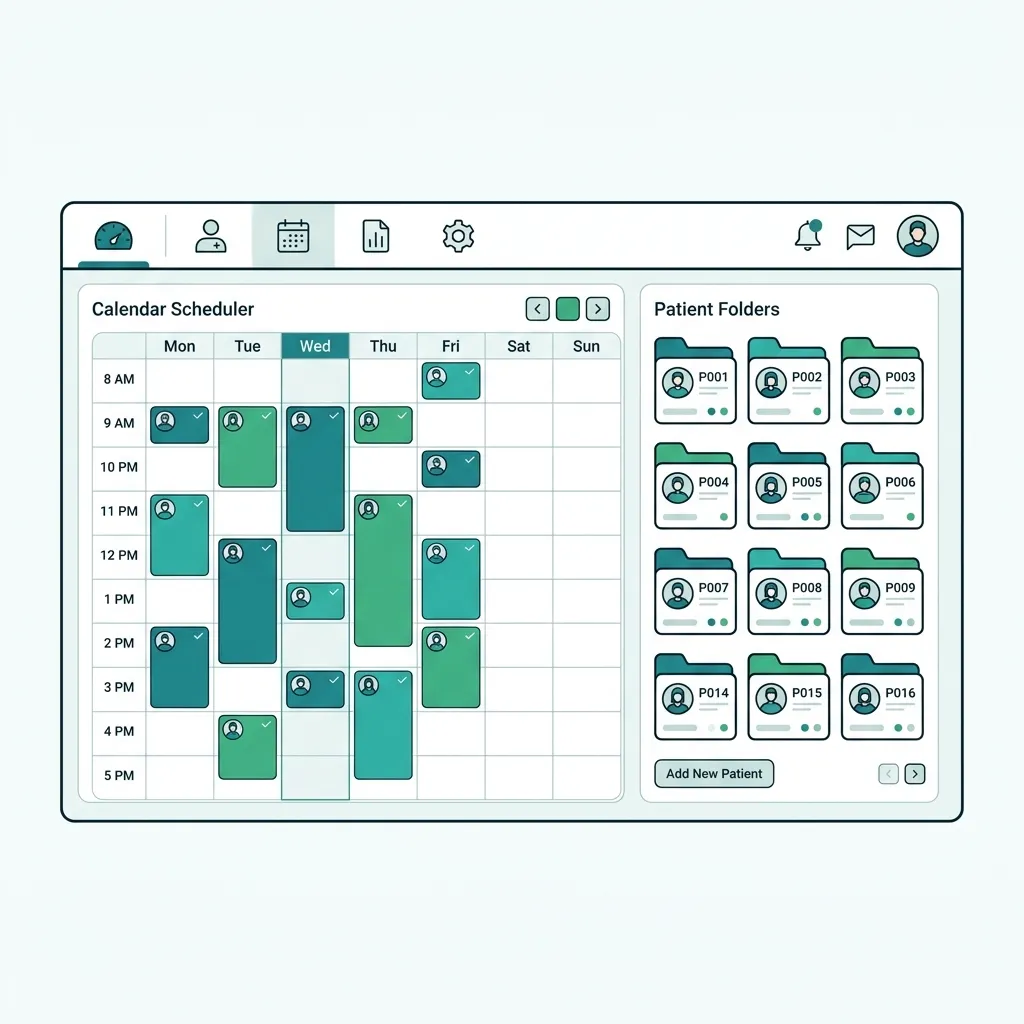
What is Clinic Operating System (Clinic OS)?
A Clinic Operating System (Clinic OS) is a modern practice-management paradigm that goes beyond basic single-purpose software. It functions as a centralized environment that integrates and orchestrates all clinical, administrative, and financial workflows. Rather than relying on separate software for scheduling, another for EMR, and a third for billing, a Clinic OS unifies these components into a single, cloud-native ecosystem. This allows data to flow seamlessly between departments, eliminating silos and providing clinic owners with real-time operational insights.
A Clinic Operating System (Clinic OS) is a unified platform that serves as the operational backbone of a practice, connecting scheduling, EMR, billing, insurance, and inventory under one dashboard to replace fragmented software.
Challenges solved by Clinic Operating System (Clinic OS)
Large practices and medical centers suffer from highly fragmented data due to software silos: the receptionist books appointments on a calendar disconnected from the doctor's EMR, the accountant calculates bills and doctor commissions manually from paper notes, and the pharmacy or lab operates in complete isolation. This fragmentation causes massive revenue leakage due to unbilled services, misplaced records, delayed insurance pre-authorizations, and inaccurate commission payouts. Furthermore, managing multiple software licenses drives up IT maintenance costs and compromises security.
Core features of Clinic Operating System (Clinic OS)
Unified Scheduling Engine
Smart calendar tracking patient wait times, preventing conflicts, and synced with WhatsApp.
Bilingual Cloud EMR
AES-256 encrypted digital charts with specialized clinical templates and timeline follow-ups.
Integrated Billing & Insurance Gateway
Automated invoicing, real-time insurance copay calculation, and claim integration.
Inventory & Pharmacy Management
Track medical supplies and drugs in real time with automated expiry and shortage alerts.
Smart ERP Dashboards & Analytics
Real-time financial reports, profit/loss tracking, and branch volume analytics.
Interactive Patient Portal
Enable self-scheduling, digital Rx retrieval, secure lab results, and online payments.
Clinical & operational benefits of Clinic Operating System (Clinic OS)
Single Software Ecosystem
Save licensing fees for 5 separate apps with a unified system managing all clinic processes.
Fluid Data & Workflow Transition
Reception, consultation, pharmacy, and cash desk share data instantly, eliminating manual re-entry.
Watertight Revenue & Commission Control
Accurate tracking of bills, doctor payouts, and insurance limits prevents leakage.
Centralized Multi-branch Governance
Monitor, manage, and configure multiple clinic branches and user roles securely from anywhere.
Who benefits from Clinic Operating System (Clinic OS)?
Large medical centers and multi-specialty, multi-branch groups seeking unified systems
Specialized clinics seeking complete clinical, financial, and logistical orchestration
Small to medium hospitals looking to integrate clinical and accounting departments into one platform
Healthcare business owners wanting to monitor multi-branch performance and revenues from a single screen
Medical practitioners looking to reduce licensing costs, IT maintenance overheads, and fragmented software
How to get started with Clinic Operating System (Clinic OS)
Register Practice & Branches
Create your organization profile, configure branch locations, and set user access levels.
Configure Services, Pricing & Rosters
Set up consultation services, prices, insurance copays, and doctor timetables.
Connect EMR, Inventory & Pharmacy
Configure clinical templates, set stock levels, and link inventory consumption rules.
Onboard Staff & Launch Globally
Train your administrative, clinical, and financial teams and launch the system live.
Clinic Operating System (Clinic OS) comparison & evaluation
Comparison: Disconnected Software vs. Unified Clinic OS
| Feature / Workflow | Disconnected Siloed Software | Unified Clinic OS (Tabeeb+) |
|---|---|---|
| Database Integrity | Duplicate, out-of-sync patient info across apps | Single cloud database updated in real-time |
| Billing Workflow | Staff manually copies clinical items into invoicing | Clinical encounters auto-generate invoices instantly |
| Insurance Calculations | Manual check of copay limits and separate tracking | Calculated automatically at checkout, linked to claims |
| Multi-branch Operation | Each branch runs isolated software, difficult to merge | Central dashboard syncing all locations and reports |
| IT Cost & Overhead | Multiple licensing fees, distinct databases, high IT costs | One unified subscription, central support, zero local IT |
Best practices for implementing Clinic Operating System (Clinic OS)
- Choose a fully cloud-based Clinic OS to connect departments and branches smoothly without network setup costs.
- Configure your user roles and permissions matrix (doctors, nurses, accountants, reception) before launch.
- Utilize the executive dashboard to audit branch performance and profitability weekly for strategic decisions.
- Integrate your Clinic OS with diagnostic devices (PACS/LIS) and insurance portals to speed up operations.
Common pitfalls when choosing Clinic Operating System (Clinic OS)
Keeping side spreadsheets or paper logs, which defeats the purpose of a unified database and creates double work.
Failing to restrict access to clinical or financial records, compromising privacy and compliance.
Skipping system onboarding for new staff members, leading to underutilization of the Clinic OS capabilities.
Key takeaways for Clinic Operating System (Clinic OS)
Key Takeaways
- A Clinic OS unifies scheduling, EMR, billing, inventory, and analytics in one cloud platform.
- A single software ecosystem eliminates data silos, cuts licensing fees, and prevents revenue leakage.
- Tabeeb+ is the leading Arabic-first Clinic OS, compliant with regional regulations and built for growth.
Final summary on Clinic Operating System (Clinic OS)
Deploying a unified Clinic Operating System is the ultimate step for practices seeking operational excellence and sustainable growth. With Tabeeb+, all your processes integrate into a single cloud ecosystem, removing software clutter, saving administrative time, and delivering high patient satisfaction. Start your free trial today and run your medical business with complete efficiency.
Frequently Asked Questions
Does the system support ERP accounting and multi-branch revenue?
Yes. Tabeeb+ includes an integrated financial dashboard that tracks cash flow, profit & loss, and doctor commissions per branch or globally.
Is the Clinic OS compatible with different hardware?
Yes. The platform is cloud-native and works perfectly on web browsers, desktop computers (Windows/Mac), tablets, and smartphones (iOS/Android).
How is patient data secured and backed up?
All clinical data is encrypted in transit and at rest using AES-256 encryption. Databases are hosted in compliant regional AWS centers with automated daily backups.
Read also
Try Tabeeb+ Free
Start your free trial and turn your clinic into a smart digital system.
Launch Your Cloud Clinic Free