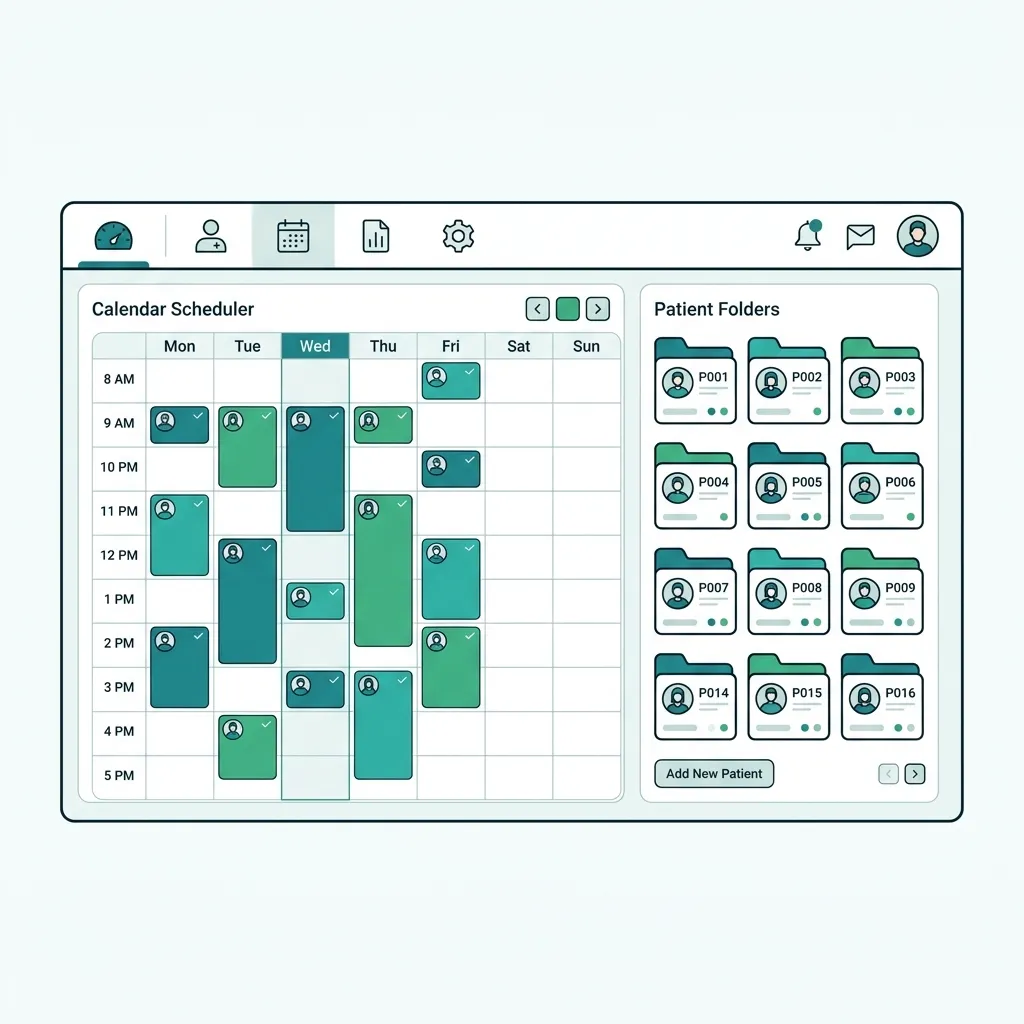
What is Patient Management System?
A Patient Management System (PMS) is a comprehensive technology solution designed to automate and streamline the patient journey within medical practices. Beyond serving as a database for patient contact details, a PMS integrates administrative, clinical, and financial touchpoints. It optimizes patient flow, digitizes waiting room queues to prevent overcrowding, and enables secure clinical chart transitions among front-desk staff, nurses, and doctors. By combining billing, insurance, and medical scheduling, a PMS ensures practice efficiency and delivers a premium patient experience.
A Patient Management System is an all-in-one software that organizes the entire patient journey within a clinic — from online scheduling and reception check-in to clinical consultation, billing, and checkout.
Challenges solved by Patient Management System
Traditional clinics face severe operational bottlenecks and waiting room chaos: receptionists log check-ins manually in paper registers, leading to queue errors and patient disputes, while waiting times balloon without clear communication. The lack of digital sync between reception and clinicians causes chart mixing and delayed consults, combined with disjointed billing and insurance calculations at checkout. This exhausts clinic staff, damages the practice's reputation, and increases appointment cancellations.
Core features of Patient Management System
Smart Patient Appointment Calendar
Breeze scheduling with conflict-prevention, customized slot durations, and automated buffer times.
Digital Queue & Flow Management
Check patients in, assign queue numbers, and display waitlists on lobby screens to eliminate chaos.
Unified Patient Demographic & Clinical Chart
Consolidate contact info, insurance details, vitals, medical history, and prescriptions in one cloud profile.
Instant Checkout Invoicing & Billing
Convert visits into accurate invoices with integrated tax and insurance copay rules.
Automated WhatsApp Alerts & Confirmations
Send real-time check-in updates, booking confirmations, and post-visit guidelines.
Live Flow Analytics & Wait-Time Auditing
Track average patient wait times, staff efficiency, and check-in volumes dynamically.
Clinical & operational benefits of Patient Management System
Slash Patient Wait Times
Optimized scheduling and queue routing keep the waiting room calm and save patient time.
Eliminate Chart Mix-ups & Registry Errors
Unique patient ID tracking prevents name duplication and folder mix-ups.
Faster, Leakproof Checkout Cycles
Instantly process invoices, calculate doctor commissions, and manage payments to raise profits.
Premium Patient Experience & Loyalty
Organized, modern workflows leave patients highly satisfied, driving retention and word-of-mouth.
Who benefits from Patient Management System?
Private specialty clinics struggling with waiting room congestion, overlaps, and disorganized patient flow
Polyclinics and multi-doctor medical centers requiring centralized patient, booking, and visit orchestration
Diagnostic imaging and lab centers managing high volumes of daily patient visits, files, and results
Small-to-medium hospitals seeking tight, digital integration between front-desk, clinical, and billing teams
Healthcare owners aiming to decrease patient wait times and track administrative and clinical performance
How to get started with Patient Management System
Set Up Clinic Profile & Users
Register your practice, define exam rooms, and configure team permissions.
Configure Lobby Queue Settings
Define check-in rules, layout display screens, and set up queue tags.
Enable Online Self-Scheduling
Embed the booking widget into your clinic website and social media profiles.
Onboard Teams & Launch Live
Train receptionist, clinical, and billing teams to deploy the digital lifecycle.
Patient Management System comparison & evaluation
Comparison: Manual Patient Records vs. Digital Patient Management System
| Workflow Step | Traditional Manual Approach | Patient Management System (Tabeeb+) |
|---|---|---|
| Scheduling & Booking | Paper diaries prone to overlaps and schedule clutter | Smart cloud calendar with conflict-prevention algorithms |
| Lobby Check-In | Random queue, crowded waiting rooms, and arguments | Digital check-in, auto queue numbers, lobby screen displays |
| Chart Access | Physical file folders in cabinets, easily misplaced | Unified digital chart encrypted with instant search query |
| Billing & Prescription | Manual calculation, handwritten prescriptions | One-click e-invoicing and direct digital Rx dispatch |
| Loyalty & Recall | Symptom check-ups depend on luck, no follow-up | Automated feedback surveys and system-triggered recalls |
Best practices for implementing Patient Management System
- Install display screens in the waiting room to show queue numbers, keeping patients informed and calm.
- Enable the online booking widget so patients can self-schedule, reducing telephone traffic at reception.
- Log complete allergies, vitals, and core demographics during the patient's first check-in.
- Audit weekly patient volume reports against financial receipts to ensure complete revenue capture.
Common pitfalls when choosing Patient Management System
Overriding queue rankings manually without documentation, causing patient frustration in the lobby.
Neglecting to utilize automated messaging, which increases no-show rates for scheduled slots.
Relying on legacy offline software that fails to sync data instantly between reception and the doctor's room.
Key takeaways for Patient Management System
Key Takeaways
- A Patient Management System coordinates a patient's clinical, administrative, and financial lifecycle.
- Deploying digital queues and automated confirmations cuts waiting times and no-shows.
- Tabeeb+ provides an Arabic-first PMS that integrates reception flow, doctor charting, and compliant billing.
Final summary on Patient Management System
Streamlining the patient journey within your practice is the single most important factor for building long-term trust. With Tabeeb+'s integrated Patient Management System, you eliminate paper clutter and lobby congestion, establishing an efficient operational flow that values patient time and empowers your medical staff. Start your free trial today and elevate your practice management.
Frequently Asked Questions
Is the Patient Management System integrated with EMR and billing?
Yes. Tabeeb+ is fully integrated, ensuring patient check-in updates clinical waitlists and auto-calculates checkout invoices.
How does the waiting room queue display work?
Tabeeb+ can be configured on any smart TV or monitor in the lobby, showing patient queue numbers, names, and assigned doctor rooms.
Can patients schedule their own appointments online?
Yes. Tabeeb+ includes an interactive patient portal that allows users to view open slots, book visits, and make secure online prepayments.
Read also
Try Tabeeb+ Free
Start your free trial and turn your clinic into a smart digital system.
Launch Your Cloud Clinic Free