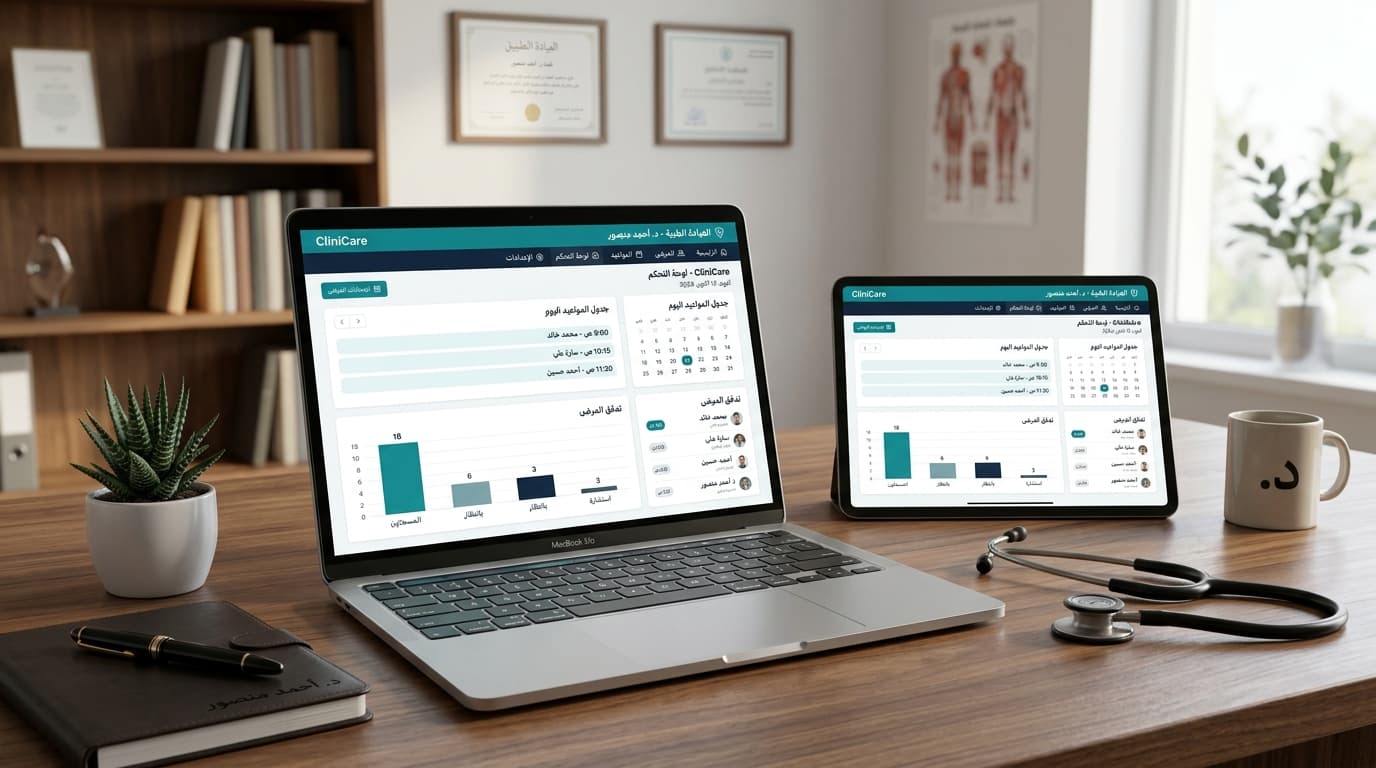
In the rapidly evolving landscape of healthcare, efficiency, patient satisfaction, and robust data management are no longer luxuries but necessities. Modern medical practices, from bustling multi-specialty hospitals to individual specialist clinics, are increasingly turning to advanced technological solutions to navigate these demands. At the forefront of this transformation is clinic management software – an indispensable digital backbone that streamlines operations, enhances patient care, and optimizes administrative workflows.
For healthcare providers in the Arab world, including Egypt, Saudi Arabia, and the UAE, embracing such technology is paramount for competitive advantage and adherence to evolving national healthcare visions. This comprehensive guide delves into what clinic management software entails, its core functionalities, the myriad benefits it offers, and crucial considerations for selecting the ideal system to propel your practice into the future.
Table of Contents
- What Exactly is Clinic Management Software? The Core Definition
- Core Modules and Essential Features of a Robust Clinic Management System
- The Unparalleled Benefits of Implementing Clinic Management Software
- Choosing the Right Clinic Management Software: A Strategic Approach
- Navigating the Implementation Process: From Setup to Seamless Operation
- The Future of Clinic Management Software: Trends and Innovations
- Frequently Asked Questions (FAQ) About Clinic Management Software
What Exactly is Clinic Management Software? The Core Definition
At its heart, clinic management software is a comprehensive digital solution designed to manage the day-to-day operations of a medical practice. It integrates various administrative, clinical, and financial functions into a single, cohesive platform, replacing disparate paper-based systems and manual processes. Think of it as the central nervous system for your clinic, connecting every vital function to ensure smooth, efficient operation.
The primary goal of a modern medical clinic system is to automate routine tasks, minimize human error, improve communication, and provide healthcare professionals with instant access to critical information. This not only frees up valuable time for patient care but also contributes significantly to the overall profitability and sustainability of the practice.
Evolution of Practice Management Systems
Historically, clinic management relied heavily on paper charts, manual appointment books, and physical filing systems. The advent of computers brought rudimentary digital tools, but it was the rise of integrated software solutions that truly revolutionized the industry. Today, cloud-based platforms like TabeebPlus offer unprecedented accessibility, scalability, and security, making sophisticated practice management accessible to clinics of all sizes.
Core Modules and Essential Features of a Robust Clinic Management System
A truly effective clinic management software is characterized by a suite of integrated modules, each designed to address a specific aspect of clinic operations. Understanding these core practice management features is crucial for appreciating the holistic value a system brings.
1. Patient Registration and Scheduling Management
This foundational module is often the first point of interaction for patients and staff. It digitizes the entire patient intake and appointment booking process.
- Patient Registration Software: Captures and manages comprehensive patient demographics, medical history, insurance details, and contact information securely.
- Appointment Scheduling: Allows for efficient booking, rescheduling, and cancellation of appointments across multiple practitioners, rooms, and equipment. Features often include:
- Online patient self-scheduling.
- Automated appointment reminders (SMS, email, WhatsApp).
- Color-coded calendars for easy visualization.
- Waitlist management.
- Support for recurring appointments.
- Check-in/Check-out: Streamlines the patient flow at the front desk, reducing wait times and administrative burden.
2. Electronic Medical Records (EMR) / Electronic Health Records (EHR)
The heart of any modern clinic management system, the EMR/EHR module digitizes patient health information, making it accessible, organized, and secure. What is the difference between EMR and EHR? While often used interchangeably, an EMR (Electronic Medical Record) is a digital version of a patient's chart from a single practice, whereas an EHR (Electronic Health Record) is designed to be shared across multiple healthcare providers and organizations, offering a more comprehensive view of a patient's health journey. Most robust clinic management systems today lean towards EHR capabilities.
- Digital Charting: Replaces paper charts with electronic records that include patient history, diagnoses, medications, treatment plans, immunization dates, allergies, and lab results.
- E-Prescribing: Allows clinicians to electronically send prescriptions directly to pharmacies, reducing errors and improving patient safety.
- Lab and Imaging Integration: Seamlessly integrates with external laboratories and imaging centers to receive results directly into the patient's record, facilitating faster diagnosis and treatment planning.
- Clinical Decision Support: Provides alerts and reminders for drug interactions, allergies, preventive screenings, and evidence-based treatment guidelines.
- Customizable Templates: Allows clinicians to create and use specialized templates for various medical specialties and types of encounters, ensuring consistent and thorough documentation.
3. Billing and Financial Management
This module is critical for the financial health of the practice, automating and simplifying complex billing processes.
- Insurance Claims Management: Generates and submits electronic claims to insurance companies, tracks claim status, and manages rejections and appeals. This includes support for local insurance providers in the Arab world.
- Patient Invoicing & Payments: Creates detailed invoices for services rendered, processes various payment methods (cash, card, online payments), and tracks outstanding balances.
- Accounts Receivable Management: Monitors and manages all monies owed to the practice, ensuring timely collections.
- Fee Schedules & Pricing: Allows for flexible management of service fees, discounts, and package pricing.
- Financial Reporting: Generates reports on revenue, expenses, collections, and profitability, offering insights into the practice's financial performance.
4. Inventory and Pharmacy Management (for relevant clinics)
For clinics that dispense medications or manage medical supplies, this module is invaluable.
- Stock Tracking: Monitors inventory levels of medications, vaccines, and medical supplies.
- Expiry Date Management: Alerts staff to approaching expiry dates, minimizing waste.
- Reorder Management: Automates or simplifies the reordering process when stock levels are low.
- Prescription Dispensing: Integrates with EMR for accurate and safe medication dispensing.
5. Reporting and Analytics
Beyond day-to-day operations, a robust CMS provides powerful insights into practice performance.
- Operational Reports: Patient visit trends, appointment no-show rates, staff productivity.
- Financial Dashboards: Revenue trends, collection rates, expenses.
- Clinical Reports: Patient demographics, disease prevalence, treatment outcomes.
- Customizable Reports: Allows practices to generate reports tailored to their specific needs for strategic planning and compliance.
6. Patient Engagement Tools
Modern CMS platforms extend beyond the clinic walls to empower patients and improve communication.
- Patient Portal: A secure online platform where patients can access their medical records, view lab results, request appointments, pay bills, and communicate securely with their providers.
- Secure Messaging: Facilitates confidential communication between patients and providers.
- Health Education Resources: Provides access to educational materials relevant to the patient's condition or preventive care.
7. Telehealth Integration
Especially vital in the post-pandemic era, telehealth capabilities enable remote patient consultations.
- Virtual Consultations: Secure video conferencing tools integrated directly into the scheduling and EMR system.
- Remote Monitoring: Integration with wearable devices or remote monitoring tools (though more advanced).
8. Security and Compliance
Data security and regulatory compliance are non-negotiable in healthcare.
- Data Encryption: Ensures all patient data is encrypted both in transit and at rest.
- Access Controls: Role-based access ensures that staff can only view and modify information relevant to their roles.
- Audit Trails: Records all access and changes made to patient records.
- Regulatory Adherence: Complies with international standards like HIPAA (for practices with US patients) and GDPR, as well as local regulations such as Saudi Arabia's NPHIES, UAE's Malaffi/Nabidh, and Egypt's national health system data requirements. This ensures patient data privacy and integrity.
The Unparalleled Benefits of Implementing Clinic Management Software
The adoption of a comprehensive clinic management software offers a cascade of benefits that transform every facet of a medical practice. From the front desk to the examination room and beyond, the advantages are profound.
1. Enhanced Operational Efficiency and Productivity
How does CMS improve efficiency? By automating repetitive administrative tasks, CMS significantly reduces the workload on staff. This includes everything from appointment scheduling and reminders to billing and record-keeping. Staff can focus on more critical tasks, leading to higher productivity and reduced operational costs.
- Reduced Administrative Burden: Less time spent on paperwork, phone calls, and manual data entry.
- Optimized Workflows: Standardized processes ensure consistency and minimize errors.
- Improved Resource Utilization: Better management of rooms, equipment, and staff schedules.
2. Improved Patient Experience and Engagement
In today's patient-centric healthcare environment, a positive experience is crucial. CMS plays a vital role in achieving this.
- Shorter Wait Times: Efficient scheduling and check-in processes.
- Convenient Access: Online booking, patient portals for 24/7 access to information.
- Better Communication: Automated reminders, secure messaging, and easy access to health information foster trust and engagement.
- Personalized Care: Comprehensive patient records allow providers to deliver more tailored and informed care.
3. Optimized Financial Performance
The financial health of a clinic directly impacts its ability to provide quality care. CMS offers robust tools to bolster revenue and manage expenses.
- Reduced Billing Errors: Automation minimizes manual data entry mistakes that lead to denied claims.
- Faster Reimbursements: Electronic claim submission and tracking accelerate the payment cycle.
- Improved Collections: Clear invoicing and payment tracking reduce outstanding balances.
- Data-Driven Financial Decisions: Comprehensive financial reports provide insights for strategic planning and cost control.
4. Superior Clinical Outcomes and Patient Safety
Access to complete and accurate patient data is fundamental to delivering high-quality, safe medical care.
- Comprehensive Patient Data: Instant access to medical history, allergies, medications, and lab results empowers clinicians.
- Clinical Decision Support: Alerts for drug interactions, preventive care reminders, and evidence-based guidelines reduce medical errors.
- Enhanced Collaboration: Secure sharing of patient information among authorized providers (within an EHR system) improves coordinated care.
5. Regulatory Compliance and Enhanced Data Security
Protecting patient data is a legal and ethical imperative. CMS provides the tools to meet these stringent requirements.
- Data Security: Encryption, access controls, and regular backups protect sensitive patient information from breaches.
- Compliance Assurance: Helps practices adhere to local and international data privacy laws (e.g., HIPAA, GDPR, NPHIES, Malaffi/Nabidh).
- Audit Trails: Detailed logs of who accessed and modified patient records provide accountability.
6. Scalability and Future Growth
For practices planning to expand, a flexible CMS is an asset.
- Supports Multiple Locations: Cloud-based systems can easily manage operations across several clinics.
- Adapts to Growth: Easily scales to accommodate more patients, providers, and services without extensive infrastructure changes.
- Future-Proofing: A modern system often includes regular updates and new features, keeping the practice at the cutting edge of healthcare technology.
Choosing the Right Clinic Management Software: A Strategic Approach
Selecting the ideal medical clinic system is a significant investment that can define the future trajectory of your practice. It requires careful consideration and a strategic approach.
1. Assess Your Practice's Unique Needs
Before even looking at software, understand your specific requirements.
- Practice Size and Specialty: A solo practitioner will have different needs than a multi-specialty group or a large hospital outpatient department. Does the software cater to your specific medical specialty (e.g., dermatology, cardiology, pediatrics)?
- Budget: Determine your financial allocation for initial setup, subscription fees, training, and ongoing support.
- Existing Infrastructure: What hardware do you currently have? What existing systems (e.g., accounting software, lab equipment) need to integrate?
- Workflow Challenges: Identify your current pain points – where are you losing time, money, or patient satisfaction?
2. Key Considerations for Selection
a. Cloud-Based vs. On-Premise
This is a fundamental decision with significant implications.
| Feature | Cloud-Based CMS (SaaS) | On-Premise CMS |
|---|---|---|
| Accessibility | Anywhere, anytime, on any device with internet. Ideal for remote work and multiple locations. | Limited to office network; requires VPN for remote access. |
| Cost | Subscription-based (monthly/annual). Lower upfront cost. Includes maintenance/updates. | High upfront cost for software license, servers, IT infrastructure. Ongoing maintenance/update fees. |
| Maintenance & Updates | Managed by vendor. Automatic updates. | Managed by clinic's IT staff. Manual updates, potential downtime. |
| Scalability | Easily scales up or down with practice growth. | Requires hardware upgrades and significant IT investment to scale. |
| Data Security | High-level security measures by vendor, often exceeding what a single clinic can provide. Regular backups. | Clinic responsible for all security, backups, and disaster recovery. |
| Implementation Time | Faster deployment. | Longer deployment, requires hardware setup. |
| TabeebPlus Advantage | TabeebPlus is a leading cloud-based solution, offering all these benefits specifically for the Arab world. | N/A |
b. User-Friendliness and UI/UX
An intuitive interface reduces training time and increases staff adoption. Schedule demos and engage staff in the evaluation process.
c. Integration Capabilities
Can the software integrate with existing systems (e.g., lab equipment, imaging centers, accounting software, telehealth platforms)? Seamless integration prevents data silos and duplicate data entry.
d. Scalability
Will the software grow with your practice? Can it support additional providers, new services, or multiple locations without requiring a complete system overhaul?
e. Vendor Reputation and Support
Research the vendor's track record. What kind of customer support do they offer (24/7, online, phone)? What are their training programs like? A responsive and knowledgeable support team is invaluable.
f. Security Features and Compliance
Ensure the software adheres to all relevant data privacy and security regulations in your region (e.g., HIPAA, GDPR, NPHIES, Malaffi/Nabidh). Inquire about data encryption, backup protocols, and disaster recovery plans.
g. Cost of Ownership
Look beyond the initial price. Consider ongoing subscription fees, potential customization costs, training expenses, and any hidden fees. What is the total cost of ownership over 3-5 years?
Navigating the Implementation Process: From Setup to Seamless Operation
Once you’ve chosen your clinic management software, a well-planned implementation is crucial for success. This process involves several key stages:
1. Planning and Preparation
- Form a Project Team: Include key stakeholders from administration, clinical staff, and IT (if applicable).
- Workflow Analysis: Document your current workflows and identify how they will adapt to the new system. This helps in customizing the software and training.
- Data Migration Strategy: Plan how existing patient data (from paper charts or old systems) will be transferred to the new CMS. This can be complex and requires careful execution to ensure data integrity.
- Hardware Assessment: Ensure your clinic has the necessary hardware (computers, internet speed, printers) to support the new software.
2. Configuration and Customization
The vendor will work with you to configure the software to your practice's specific needs, including setting up user roles, customizing templates, integrating with labs or pharmacies, and establishing billing rules.
3. Training and Adoption
This is arguably the most critical phase. Comprehensive training ensures staff proficiency and reduces resistance to change.
- Role-Based Training: Tailor training sessions to the specific roles of different staff members (e.g., front desk, nurses, doctors).
- Hands-on Practice: Provide ample opportunities for staff to practice using the new system in a test environment.
- Ongoing Support: Ensure there's a clear channel for staff to ask questions and receive support during the initial weeks and months post-launch.
4. Go-Live and Post-Implementation Support
The "go-live" date marks the transition to the new system. Expect a learning curve and potential minor issues, which is why robust post-implementation support is vital.
- Phased Rollout: Consider rolling out the system in stages (e.g., starting with scheduling, then EMR) to minimize disruption.
- On-site Support: Having vendor support staff or super-users on-site during the initial days can be invaluable.
- Continuous Improvement: Regularly review system performance, gather feedback from staff, and make adjustments to optimize workflows.
The Future of Clinic Management Software: Trends and Innovations
The landscape of healthcare technology is constantly evolving. Clinic management software is at the forefront of this innovation, promising even more sophisticated capabilities in the years to come.
- Artificial Intelligence (AI) and Machine Learning (ML): AI will play an increasing role in predictive analytics (e.g., identifying patients at risk of chronic conditions), clinical decision support, automating administrative tasks, and even assisting in diagnostics.
- Enhanced Interoperability: The push for seamless data exchange between different healthcare systems will continue, with standards like FHIR (Fast Healthcare Interoperability Resources) becoming more prevalent. This means better coordinated care across the entire healthcare ecosystem.
- Personalized Patient Care: Leveraging data analytics, CMS will enable more personalized treatment plans and preventive care strategies based on individual patient profiles.
- Integration with Wearable Technology and IoT: Data from patient wearables (fitness trackers, smart medical devices) will increasingly integrate into EHRs, providing a more continuous and holistic view of patient health.
- Advanced Telehealth and Remote Monitoring: Telehealth will evolve beyond simple video calls to include more sophisticated remote diagnostic tools and ongoing virtual care management.
- Blockchain for Security: While still nascent, blockchain technology holds promise for enhancing the security and immutability of patient health records.
These innovations underscore the importance of choosing a CMS that is not only robust today but also designed with future scalability and technological integration in mind, like TabeebPlus.
Frequently Asked Questions (FAQ) About Clinic Management Software
What is the primary difference between EMR and EHR in the context of CMS?
While often used interchangeably, an EMR (Electronic Medical Record) is primarily a digital version of a patient's chart within a single practice, focusing on clinical documentation and decision support specific to that clinic. An EHR (Electronic Health Record), on the other hand, is designed for broader interoperability, allowing patient health information to be shared securely across different healthcare providers, hospitals, and even national health systems. Most modern clinic management software aims for EHR capabilities to facilitate comprehensive, coordinated patient care.
Is cloud-based clinic management software truly secure for sensitive patient data?
Yes, reputable cloud-based CMS platforms like TabeebPlus employ industry-leading security measures, often exceeding what individual clinics can implement on their own. This includes robust data encryption (in transit and at rest), multi-factor authentication, regular security audits, redundant data backups, and adherence to international and local data privacy regulations (e.g., HIPAA, GDPR, NPHIES, Malaffi/Nabidh). Cloud providers specialize in security, making it their core business to protect client data.
How long does it typically take to implement a new clinic management system?
The implementation timeline can vary significantly based on the size and complexity of the practice, the amount of data to be migrated, and the level of customization required. For a small to medium-sized clinic, it can range from a few weeks to several months. A comprehensive system for a larger multi-specialty practice might take 6-12 months. Key factors include data migration complexity, staff training, and integration with existing systems.
Can clinic management software integrate with existing laboratory or imaging systems?
Absolutely. Modern clinic management software is designed for interoperability. Most robust systems offer integration capabilities with external laboratories, imaging centers, and even local pharmacy networks. This allows for seamless electronic ordering of tests, direct receipt of results into the patient's EHR, and electronic prescribing, significantly improving efficiency and reducing manual errors. It's a key feature to inquire about when selecting a vendor.
What kind of return on investment (ROI) can a practice expect from implementing CMS?
The ROI from CMS can be substantial and multifaceted. It includes tangible benefits like reduced administrative costs (due to automation), decreased billing errors leading to higher collection rates, and improved cash flow. Intangible benefits include enhanced patient satisfaction, better clinical outcomes, improved staff morale, and stronger regulatory compliance, which mitigates financial risks from penalties. Over time, these benefits typically far outweigh the initial investment and ongoing subscription costs.
Is clinic management software suitable for small or solo practices?
Yes, absolutely. While larger practices benefit from complex integrations, small and solo practices can gain immense value from CMS by automating administrative tasks, managing appointments efficiently, maintaining digital records, and streamlining billing. Many cloud-based solutions offer scalable pricing models and features tailored to the needs of smaller clinics, helping them operate more professionally and competitively without a large IT overhead.
How does CMS help with regulatory compliance in the Arab world, specifically in countries like Saudi Arabia and the UAE?
Clinic management software plays a crucial role in helping practices comply with national healthcare regulations. For instance, in Saudi Arabia, systems must align with NPHIES (National Platform for Health Information Exchange Services) for data exchange. In the UAE, compliance with systems like Malaffi (Abu Dhabi) and Nabidh (Dubai) for health information exchange is mandatory. A well-designed CMS ensures that patient data is collected, stored, and exchanged in accordance with these standards, including robust security protocols, audit trails, and data localization requirements where applicable, thereby minimizing legal and financial risks for practices.
Can TabeebPlus help manage multiple clinic locations?
Yes, TabeebPlus is a cloud-based solution specifically designed for scalability and multi-location management. It allows you to oversee operations, appointments, patient records, and financial data across all your clinic branches from a centralized platform. This ensures consistency in patient care and administrative processes, provides consolidated reporting, and simplifies management for growing healthcare groups.
The future of healthcare is undeniably digital, and a robust clinic management software is not just a tool but a strategic imperative for any modern medical practice. It empowers healthcare providers to deliver exceptional patient care, optimize operational efficiency, and ensure financial stability in an increasingly complex environment. By embracing such technology, clinics in the Arab world and beyond can secure their position at the forefront of healthcare innovation.
Are you ready to transform your practice with a leading cloud-based practice management system tailored for the unique needs of the Arab world? Discover how TabeebPlus can streamline your operations, enhance patient engagement, and drive growth for your clinic. Visit our website or contact us today to learn more.
Explore TabeebPlus: Your Partner in Modern Healthcare Management
Streamline Appointments: Effortless Scheduling with TabeebPlus
Get in Touch: Contact TabeebPlus Today
For further reading on global health standards and data privacy, you may refer to resources like the World Health Organization (WHO) on Health Information Systems or specific national health authority guidelines.
Request Your Free TabeebPlus Demo Today