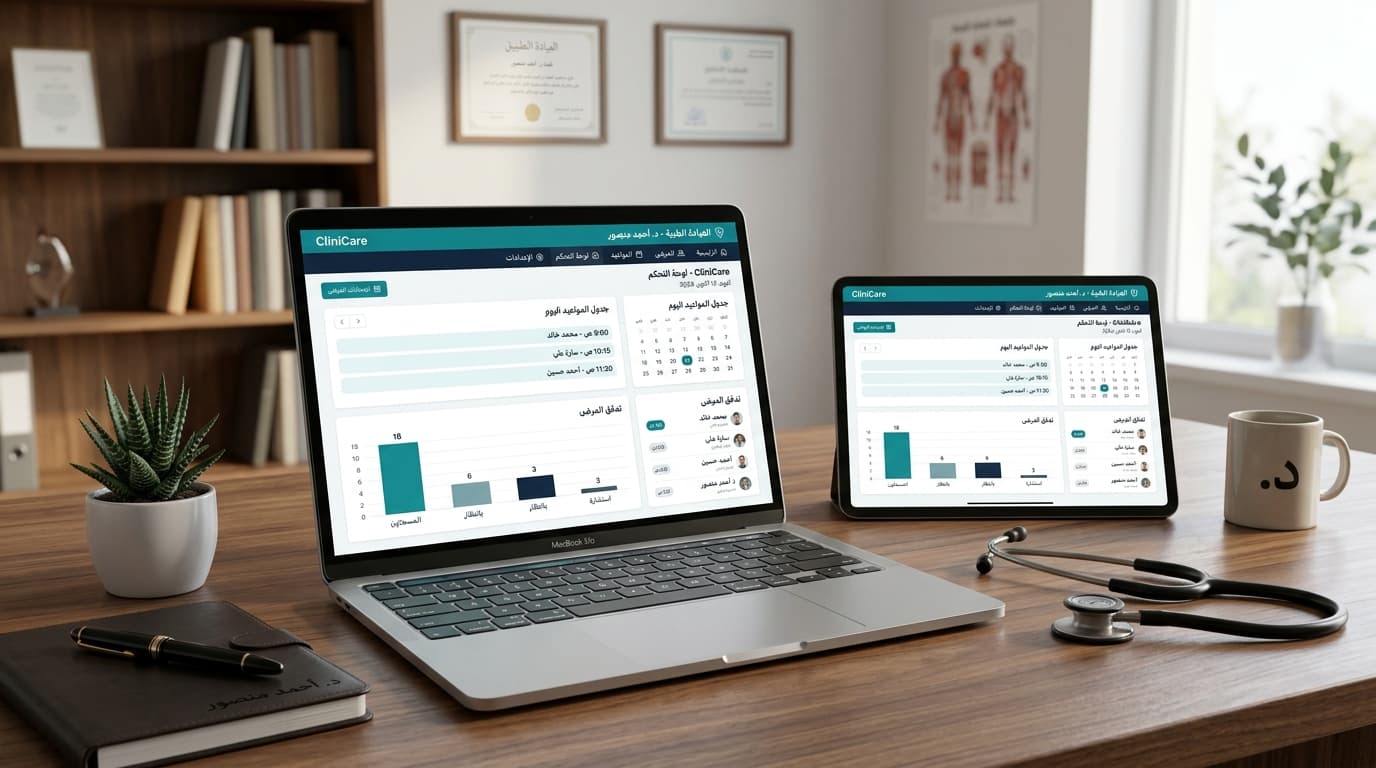
In today's fast-evolving healthcare landscape, the efficient operation of a medical clinic is paramount to delivering high-quality patient care and ensuring sustainable growth. The backbone of such efficiency often lies in a robust medical clinic management system. Far beyond simple record-keeping, these sophisticated platforms integrate various administrative and clinical functions, streamlining operations from the moment a patient schedules an appointment to the final billing process. Choosing the right system is not merely an upgrade; it's a strategic investment that can transform your practice, enhance patient satisfaction, and empower your team. This comprehensive guide will walk you through the essential criteria and features to consider, helping you navigate the complexities of selection to ensure you pick the ideal clinic management system for your unique needs.
Table of Contents
- Understanding the Core Needs of Your Clinic
- Essential Features of a Robust Clinic Management System
- Cloud-Based vs. On-Premise Systems: A Critical Comparison
- Key Considerations for Implementation and Adoption
- Optimizing Clinic Operations with the Right System
- Frequently Asked Questions (FAQ)
Understanding the Core Needs of Your Clinic
Before diving into the myriad of features offered by various clinic management systems, it's crucial to first conduct a thorough internal assessment of your clinic's specific requirements and existing challenges. This foundational step ensures that the system you ultimately choose directly addresses your pain points and aligns with your long-term objectives. Begin by evaluating your current clinic workflow. What are the bottlenecks? Are administrative tasks consuming too much staff time? Is patient information fragmented or difficult to access?
Consider the size and specialty of your clinic. A solo practitioner in a specialized field might have different needs than a multi-specialty group practice with a high patient volume. Document your average daily patient count, the number of providers, and the types of services you offer. For instance, a dental clinic will have different equipment and scheduling complexities compared to a physiotherapy center or a general practitioner's office. Understanding these specifics will help you prioritize features. For example, a clinic with frequent follow-ups might prioritize advanced appointment scheduling software with automated reminders, while a surgical clinic might focus more on robust EMR capabilities for detailed procedure notes and pre/post-operative care plans.
Identify your most pressing operational challenges. Are you struggling with long patient wait times, inefficient billing processes, or difficulties in communicating with patients? Perhaps your current system lacks proper reporting tools, hindering your ability to analyze performance and identify areas for practice growth. Engaging your entire team – front desk staff, nurses, and physicians – in this needs assessment is vital. They are on the front lines and can provide invaluable insights into daily operational inefficiencies and what features would genuinely improve their work lives. This collaborative approach will not only ensure a more accurate needs analysis but also foster a sense of ownership and readiness for adoption once a new system is selected.
Essential Features of a Robust Clinic Management System
A truly effective clinic management system acts as a central nervous system for your practice, integrating various functions to create a seamless operational environment. When evaluating options, look for systems that offer a comprehensive suite of features designed to enhance every aspect of patient care and administrative efficiency.
Patient Scheduling & Appointment Management
This is often the gateway to your clinic. A sophisticated appointment scheduling software should offer more than just basic booking. Look for features like online patient self-scheduling, automated appointment reminders (via SMS, email, or even WhatsApp integrations), drag-and-drop rescheduling, multi-provider calendar views, and the ability to manage recurring appointments and blocked time slots. Efficient scheduling directly impacts reducing patient wait times and improving overall patient satisfaction.
Electronic Medical Records (EMR)
The heart of any modern clinic management system is its Electronic Medical Records (EMR) module. This feature digitizes patient charts, making them easily accessible, secure, and shareable among authorized personnel. Key functionalities include comprehensive patient demographics, medical history, allergies, medications, progress notes, e-prescribing capabilities, lab and imaging integration, and clinical decision support tools. A robust EMR system should also support customizable templates to suit different specialties and ensure compliance with healthcare data standards.
Billing & Financial Management
Streamlining financial operations is critical for a clinic's profitability. A strong billing module should handle insurance claims processing, patient co-pays, invoicing, payment tracking, and robust financial reporting. Look for features like automated eligibility verification, claims submission (EDI), denial management, and integration with payment gateways. Transparent and efficient billing directly contributes to improved cash flow and reduces administrative burden.
Patient Engagement Tools
Modern patients expect convenient and proactive communication. A good system should include a patient portal for secure communication, access to medical records, appointment requests, and prescription refills. Features like automated recall systems for follow-ups or preventative screenings, and integrated telehealth solutions, can significantly enhance patient engagement and loyalty.
Reporting & Analytics
Data is power. A clinic management system should provide powerful reporting and analytics tools to give you insights into your clinic's performance. This includes reports on patient demographics, appointment no-show rates, revenue trends, provider productivity, and operational costs. These insights are invaluable for identifying areas for improvement, making informed business decisions, and driving practice growth.
Inventory & Pharmacy Management (if applicable)
For clinics that manage their own inventory of medical supplies or have an in-house pharmacy, integrated inventory management features are crucial. This includes tracking stock levels, automated reordering, managing expiry dates, and maintaining accurate records of dispensed medications.
Cloud-Based vs. On-Premise Systems: A Critical Comparison
One of the most fundamental decisions you'll face when choosing a clinic management system is whether to opt for a Cloud Computing solution or an on-premise system. Each approach has distinct advantages and disadvantages that can significantly impact your clinic's operations, costs, and scalability.
Cloud-Based Systems
Cloud-based systems, also known as Software-as-a-Service (SaaS), host all data and software on remote servers managed by the vendor. Users access the system via the internet using a web browser. This model has gained immense popularity due to its flexibility and numerous benefits.
- Accessibility: Access your system from anywhere, at any time, on any device with an internet connection. This is ideal for remote work, multiple clinic locations, or providers needing access from home.
- Cost-Effectiveness: Typically involves a subscription model, eliminating large upfront hardware and software purchase costs. Maintenance, updates, and data backups are handled by the vendor, reducing IT overhead.
- Scalability: Easily scale up or down based on your clinic's growth. Adding new users or features is often a simple process, without needing significant infrastructure investments.
- Automatic Updates: Vendors regularly push updates and new features, ensuring your system is always current with the latest technology and compliance standards.
- Security: Reputable cloud providers invest heavily in advanced security measures, data encryption, and disaster recovery protocols, often exceeding what individual clinics can afford for on-premise solutions.
On-Premise Systems
On-premise systems require the software and data to be installed and stored directly on your clinic's own servers and computers. Your IT team or a contracted service provider is responsible for maintenance, security, and updates.
- Control: You have complete control over your data and infrastructure.
- Customization: Potentially more flexibility for deep customization to unique clinic workflows, though this often comes at a higher cost.
- No Internet Dependency: The system can operate without an internet connection, though external access would still require one.
- Data Ownership: You physically own the servers and the data, which can be a psychological comfort for some, though legal data ownership is defined by contracts regardless of physical location.
Here's a comparison table to highlight the key differences:
| Feature/Aspect | Cloud-Based System | On-Premise System |
|---|---|---|
| Initial Cost | Lower (subscription fees) | Higher (hardware, software licenses) |
| Maintenance & IT | Managed by vendor (low IT burden) | Managed by clinic (high IT burden) |
| Accessibility | Anywhere, any device with internet | Limited to clinic network (or VPN) |
| Scalability | Highly scalable, easy to expand | Limited by hardware, costly to scale |
| Security | Vendor-managed, enterprise-grade | Clinic-managed, varies by investment |
| Updates | Automatic, seamless | Manual, often disruptive, costly |
| Data Backup | Automated by vendor | Clinic's responsibility |
| Disaster Recovery | Built-in by vendor | Clinic's responsibility |
Key Considerations for Implementation and Adoption
Selecting the right system is only half the battle; successful implementation and widespread adoption are equally critical for realizing the full benefits. Several factors warrant careful consideration during this phase.
User-Friendliness & Training
A system, no matter how feature-rich, is ineffective if your staff finds it difficult to use. Prioritize intuitive interfaces, clear navigation, and logical workflows. Evaluate the vendor's training programs and resources. Do they offer on-site training, online tutorials, webinars, or comprehensive documentation? Adequate training is essential to minimize resistance to change and ensure a smooth transition for all team members, from front desk staff to physicians. Look for vendors who offer ongoing support and continuous education to help your team master the system over time.
Integration Capabilities
Your new clinic management system won't exist in a vacuum. It needs to seamlessly integrate with other essential tools and services your clinic uses. This includes integration with laboratory systems for ordering tests and receiving results, imaging centers, accounting software, and potentially specialized medical devices. API (Application Programming Interface) availability and robust integration partnerships are strong indicators of a system's flexibility and future-proofing. Poor integration can lead to redundant data entry, errors, and significant inefficiencies, undermining the very purpose of a comprehensive system.
Data Security & Compliance
In healthcare, data security is non-negotiable. The system you choose must adhere to stringent data protection regulations such as HIPAA (Health Insurance Portability and Accountability Act) in the US, GDPR (General Data Protection Regulation) in Europe, or similar local health data privacy laws. Inquire about the vendor's security protocols, including data encryption (both in transit and at rest), access controls, audit trails, disaster recovery plans, and regular security audits. A reliable vendor will be transparent about their security measures and provide Business Associate Agreements (BAAs) where required. For further guidance on global best practices, consult resources like the World Health Organization's (WHO) guidelines on digital health and data security.
Scalability
Your clinic is likely to grow, and your management system should be able to grow with it. Consider if the system can easily accommodate an increasing number of patients, providers, and additional clinic locations without requiring a complete overhaul. Cloud-based systems inherently offer greater scalability, but even with on-premise solutions, inquire about the ease of upgrading hardware and software licenses to support future expansion. A scalable system prevents the need for another costly and disruptive migration down the line.
Vendor Support & Reputation
A vendor's commitment to customer support can make a significant difference, especially during implementation and in resolving day-to-day issues. Investigate their support channels (phone, email, chat), response times, and availability. Look for testimonials, case studies, and independent reviews to gauge their reputation for reliability and customer satisfaction. A vendor with a strong track record of continuous improvement, regular updates, and responsive support is a valuable partner for your clinic's long-term success.
Cost Analysis
Beyond the initial purchase or subscription fees, consider the total cost of ownership (TCO). This includes implementation costs, training expenses, ongoing maintenance fees, potential customization costs, and any hardware upgrades if opting for an on-premise solution. Request detailed pricing structures and compare them carefully. Be wary of hidden fees or overly complex pricing models. A transparent cost structure allows for better budgeting and financial planning.
Optimizing Clinic Operations with the Right System
The ultimate goal of investing in a new clinic management system is to transform your operations, leading to tangible improvements across the board. The right system is not just a tool; it's a catalyst for positive change, driving enhanced patient care and sustainable practice growth.
One of the most immediate and impactful benefits is the ability to reduce patient wait times. By implementing advanced appointment scheduling software with automated reminders and efficient patient flow management, clinics can significantly cut down on administrative delays. Patients spend less time in waiting rooms, leading to higher satisfaction scores and a more positive overall experience. This efficiency extends to patient registration and check-in processes, which can be expedited through digital forms and integrated patient portals, further enhancing the patient journey.
A well-chosen system will also dramatically streamline your entire clinic workflow. Tasks that were once manual, time-consuming, and prone to error – such as charting, prescription management, and billing – become automated and integrated. For instance, an EMR system that integrates with e-prescribing reduces medication errors and saves physician time. Similarly, an integrated billing module automates claims submission and reduces manual reconciliation, freeing up administrative staff to focus on more value-added activities. This holistic approach to automation leads to a significant boost in clinic operational efficiency.
Beyond efficiency, the right system empowers your clinic with invaluable data. Reporting and analytics features provide deep insights into various aspects of your practice, from financial performance to patient demographics and treatment outcomes. Understanding patient no-show rates, popular services, or referral patterns allows you to make data-driven decisions that optimize resource allocation, refine marketing strategies, and improve clinical protocols. This analytical capability is fundamental for identifying opportunities for practice growth, whether through expanding services, improving patient retention, or enhancing outreach efforts.
Furthermore, by embracing Cloud Computing, clinics gain unparalleled flexibility and resilience. The ability to access patient information securely from any location ensures continuity of care, even in unforeseen circumstances. This also facilitates the adoption of telehealth services, expanding your reach and offering greater convenience to patients. Ultimately, a carefully selected and effectively implemented clinic management system not only optimizes daily operations but also positions your practice for long-term success, allowing you to focus on what matters most: delivering exceptional patient care.
Frequently Asked Questions (FAQ)
Q1: How long does it typically take to implement a new clinic management system?
A1: Implementation timelines vary significantly based on the complexity of the system, the size of your clinic, the amount of data migration required, and the vendor's process. Simple cloud-based systems for small clinics might take a few weeks, while complex on-premise solutions for multi-specialty groups could take several months, including data migration, customization, and staff training. A good vendor will provide a detailed implementation plan and timeline.
Q2: Is data migration from my old system to a new one difficult?
A2: Data migration can be challenging but is often managed by the new system vendor. It involves extracting data from your old system, cleaning it, and importing it into the new one. The difficulty depends on the format and completeness of your existing data. It's crucial to discuss data migration capabilities and support with potential vendors during the selection process to understand their approach and any associated costs.
Q3: How much does a clinic management system cost?
A3: Costs vary widely. Cloud-based systems typically involve monthly or annual subscription fees per user or per provider, ranging from tens to hundreds of dollars per month. On-premise systems have higher upfront costs for software licenses and hardware, potentially thousands to tens of thousands of dollars, plus ongoing maintenance and IT support expenses. Always ask for a detailed breakdown of all potential costs, including implementation, training, and ongoing support.
Q4: How important is vendor support after implementation?
A4: Vendor support is critically important. Even the best systems can present questions or issues, especially during the initial months post-implementation. Reliable and responsive customer support ensures that any problems are quickly resolved, minimizing disruption to your clinic's operations. Look for vendors offering multiple support channels (phone, email, chat) and clear service level agreements (SLAs).
Q5: Can a clinic management system integrate with my existing accounting software?
A5: Many modern clinic management systems offer integration capabilities with popular accounting software (e.g., QuickBooks, Xero) to streamline financial reporting and reconciliation. It's essential to verify this integration during your evaluation process. If direct integration isn't available, inquire about export options that can facilitate data transfer to your accounting system.
Q6: What role does patient engagement play in choosing a system?
A6: Patient engagement is a growing priority. A system with robust patient engagement tools, such as online portals, automated reminders (including WhatsApp integrations), and telehealth options, can significantly improve patient satisfaction, reduce no-shows, and foster better health outcomes. Consider how the system helps you communicate with and empower your patients.
Q7: How do I ensure my staff will adopt the new system effectively?
A7: Effective staff adoption starts with involving them in the needs assessment and selection process. Choose a user-friendly system, provide comprehensive training, and offer ongoing support. Designate "super-users" or champions within your staff who can assist colleagues. Highlighting the benefits to their daily tasks and workflow can also motivate adoption. Phased rollouts can also help ease the transition.
Choosing the right clinic management system is a pivotal decision that will shape the future efficiency and success of your practice. By carefully assessing your needs, evaluating essential features, understanding the implications of cloud versus on-premise solutions, and considering implementation factors, you can make an informed choice that truly empowers your clinic. A well-selected system will not only streamline operations and enhance clinic operational efficiency but also elevate the patient experience, drive practice growth, and ensure your clinic remains competitive in the dynamic healthcare landscape. Invest wisely, and watch your practice thrive.
Ready to revolutionize your practice management? Discover TabeebPlus, the ultimate cloud-based solution designed to streamline your clinic workflow, enhance patient care, and drive growth. Experience seamless